
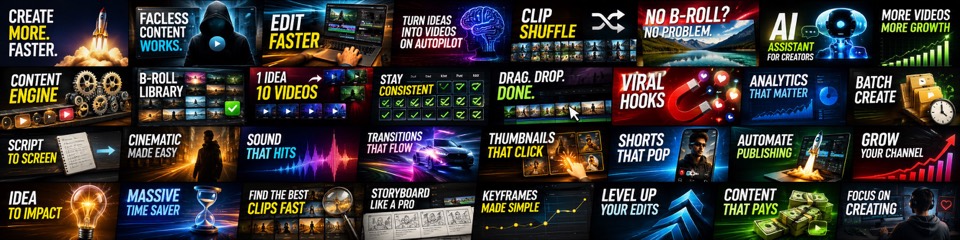
Publish Videos Without Spending All Day Editing.
Fractal helps creators turn raw clips, scripts, and ideas into publish-ready videos faster, without hiring a full production team or starting from a blank timeline every time.
AI video editor software for creators who want to publish YouTube videos without burning editing hours on repeat tasks. Fractal Video Shufflr is a desktop AI video production suite for content strategy, scripts, clips, captions, voiceovers, and high-volume workflows across YouTube, Shorts, and more.
Editing Should Not Be the Reason You Miss Uploads
Fractal Video Shufflr is built to give you ultimate control over your entire video production workflow - while eliminating the repetitive editing work that slows creators down and leads to burnout.
Stop Trimming Every Scene by Hand
Drop in your footage, set your clipping rules once, and let Fractal split, shuffle, and prep scenes faster than a manual timeline workflow.
Create Videos Even If You Only Have an Idea
Start from a script, concept, or rough angle and let Fractal gather assets, build scenes, and keep the workflow moving without waiting on a full editor stack.
Keep Quality High Without Burning Out
Use faster scene prep, retention-friendly pacing, motion design presets, and repeatable exports to publish more without getting stuck in the same editing loop every day.
Built for creators who want to do more
Fractal is for YouTube creators who have more ideas than editing time. It helps you turn raw footage, scripts, and concepts into finished videos faster, whether you run solo or manage multiple channels.
Broad YouTube Creators
Perfect if you want to upload consistently without spending your week trimming clips, removing filler words, rewriting scenes, and rebuilding every video from scratch.
Faceless & Channels
Turn scripts, source videos, and folders of clips into repeatable uploads without hiring a full production team for every piece of content.
Shorts Pipelines & High-Volume Teams
Keep Shorts, Reels, TikTok, and multi-channel production moving with faster prep, reusable settings, and consistent exports.
Wins From Our Creators
Creators use Fractal to cut production time, publish more often, and avoid repetitive editor work.
What Creators Say After Fractal Enters the Workflow
"Turned my 45-minute manual edits into 5 minutes. The shuffle looks organic every time."
"This ting is madddddddd!!!! This has changed the game for me and my channel"
"Exactly what I needed for faceless channels. Simple, fast, and gets out of the way."
"Game changer for someone who edits his own videos. Thanks mate!"
"Oh my! I just found this site and this is very surprising, this will save me many hours, what you've done with this tool is like a dream come true!"
"This is so sick. I've been wanting a feature like this in premiere pro. This takes the manual process away. You are a mind reader!"
"Will be a game changer for sure, making all of our lives easier 👍💙"
"The Pro plan is worth it just for the convenience features and ongoing updates."
"Just downloaded and it started working for me right away! You are awesome!"
"Worked like a charm. Thank you so much!"
Edit Higher Quality Videos Without The Burnout
No More Manually Cutting Clips
Use Smart Clip Logic to split and shuffle footage by your rules so you spend less time trimming scenes one by one.
Export Faster and Move On
Fractal's fast desktop export pipeline helps you finish videos quickly instead of waiting around in a browser editor.
macOS + Windows
Run locally on both platforms for a faster workflow and full editing control on your own machine.
Build Full Videos Without Starting From Scratch
The Advanced Editor and Create with AI workflow help you turn raw ideas into full edits in minutes.
Create Narration Without Recording Yourself
Voiceover Studio lets you generate and preview narration with ElevenLabs, fish.audio, or OpenAI so production keeps moving.
Add Captions Without Timing Them by Hand
Auto-generate subtitles, adjust styling, edit timing, and preview the result before export.
Record Demos Without Switching Tools
Capture and edit product walkthroughs quickly with built-in recording tools designed for creators.
Make Thumbnails Faster
Generate 16:9 thumbnails with AI and keep variants organized so packaging does not slow down your next upload.
Clean Up Audio Without Extra Back-and-Forth
Add BGM and voiceover, adjust volumes, and auto-duck so your mix is ready before export.
Rewrite Scripts Faster
Paste your script into Script Shufflr and remix it with multi-pass AI in one click.
Organize Bigger Edits Without Chaos
Group files into pages, shuffle within each set, and merge in fixed order for repeatable workflows.
Review Before You Commit
Preview planned clips, include or exclude scenes, and refresh any clip before exporting.
Fix Clips Without Leaving the Workflow
Preview trims, zoom to remove logos, and drop the adjusted cut straight into your project.
Find Visuals Without Manual Searching
Search and bulk-import images for any topic so you can build picture-led videos faster.
Publish the Same Idea in More Formats
Switch between 16:9, 9:16, and 1:1 layouts in one click for YouTube, Shorts, Reels, and TikTok.
Add SFX Without Slowing the Edit
Place sound effects with exact timing and preview them alongside BGM and voice in one pass.
Create with AI
Draft ideas with AI, then launch the Video Creator to build and export fast. Fully automated faceless channel workflow.
Clippr
Turn long videos, URLs, and recent channel uploads into reviewable vertical Shorts with hooks, descriptions, and scheduling.
Generate with AI
Generate full picture-only videos from a reference image. Use Sora to animate selected images.
Video Downloader
Search YouTube, TikTok, Facebook, Pexels, and more. 1-click download and import.
Music Generation
Create AI-generated music tracks. Describe the song, generate it, add to project. Prevent copyright strikes.
Similar Channel Finder
Surface channels similar to any target. Spot patterns and discover opportunities across your niche.
Research
Enter an idea, script, or YouTube link. AI generates keywords, finds matching videos, and presents a scrollable grid.
Channel Dashboard Analytics
Track all your channels with 7d, 28d, 90d, and 365d views, per-video analytics, and synced website members-area stats on the fly.
Flowboard
Visual storyboard and timeline editor. Create mindmap-style storyboards with beats.
Image Editor
Full-featured Canva-like editor with layers, text, shapes, and animations.
Voice Editor
Professional audio tool: record, visualize waveforms, remove silence, apply effects, export polished audio.
Prompt Creator
Generate reusable prompt templates from scripts or thumbnails. Save, copy, and remix.
Niche Finder Superpowers
Thumbnail Gallery, attention market, daily recommended niches in the Niche Directory.
Priority Updates + Discord
Early access to features. Discord channel for instant support and behind-the-scenes development.
Diamond unlocks every premium capability in Fractal — unlimited AI generation, long-form workflows, exclusive presets, and zero per-run credit limits. Built for creators who want the full production engine without worrying about usage caps.
Clippr Auto Schedule & Publish
Turn any long video or YouTube URL into vertical Shorts, then auto-schedule and publish them to your connected channels — fully hands-off repurposing at scale.
Unlimited AI Image Generation
Generate custom images from text prompts with no daily caps. Create scene visuals, thumbnails, character art, and b-roll without leaving the editor.
Unlimited AI Video Generation
Create AI-generated video clips using Sora and image-to-video pipelines. Animate any still image or generate original motion footage for any scene.
Unlimited ElevenLabs Voiceover
Generate narration with ElevenLabs' highest-quality voices — no per-run credit spend, no word caps. Produce as many voiceovers as your workflow demands.
Create 2+ Hour Long-Form Videos
Build full-length documentaries, deep dives, and compilation videos over 2 hours — a limit only Diamond unlocks. Perfect for podcast-style and essay content.
Diamond-Only Style Presets
Access exclusive motion design templates and AI video presets locked behind Diamond. These premium styles combine AI Video and AI Image modes for cinematic results.
Zero Per-Run Credit Spend
Every Create with AI run is included — no diamond credits consumed per run. Create as many videos as you want without tracking usage or buying top-ups.
Complete Video Creation Workflow
From script to voiceover to AI visuals to export — Diamond gives you the fully unlocked pipeline. Every step runs at full capacity with no gating.
Truly Original Content Creation
Combine AI-generated images, AI-generated video clips, and custom voiceover to produce content that is 100% original — no stock footage, no copyright risk.
Unlimited Music Generation
Generate fully original background music tracks with AI. Describe the mood, genre, and energy — get a copyright-free track in seconds, unlimited uses.
Full Preset Library Unlocked
Every niche template, motion design preset, and style configuration is available. Diamond users get first access to new presets as they're released.
Priority Support & Early Access
Get priority support, early access to beta features, and behind-the-scenes updates. Diamond members shape the roadmap through direct feedback.
Use Composition Lab to build After Effects-style motion graphics in a faster, simpler workflow. Quickly build intros, explainers, title cards, and full motion graphic videos.
Choose Your Plan
Start free. Upgrade when Fractal starts replacing hours of manual editing every week.
Super Simple Steps
Start with the basic desktop workflow, switch to the full Create with AI process, or follow the simple path to earning on YouTube.
Download
Click a download link above for macOS or Windows.
Install
Double-click the .exe or .dmg file. (Windows: click "More info" → "Run anyway" if prompted.)
Select Files
Open Fractal Video Shufflr, click on `Video Shufflr` and add your video files.
Configure & Export
Update the minimum seconds for each clip and maximum seconds for each clip, configure your voiceover and background music, then click Export Video. Done!
Upload Your Video
Post your video on YouTube, Facebook, Twitter, or TikTok. Grow your audience to get monetized. Then start earning passive monthly income.
Open Video Creator
Go to the Home Hub and click Video Creator. That launches the advanced workflow for building complete videos instead of just shuffling clips. This is where you upload your script and have the AI create the perfect video for you.
Choose Your Topic
Describe your topic, niche, angle, and story, or click one of our presets to generate an idea faster.
Add Your Script (Optional)
If you already have a script, paste it into the left sidebar. Fractal can skip scriptwriting and gather the right visuals around your script.
Pick Voice & Duration
Choose your voice and total script duration, then let Fractal handle the hard part. Our AI-written scripts are seriously good, and the app expands or tightens the story to match the runtime you want while keeping the pacing strong.
Choose Your Skills
Select the skills and automation options you want the workflow to use. This is where you tell Fractal Video Shufflr how hands-on or fully automated you want the final build to be.
Review, Generate & Export
Move through the remaining steps to review the script, build scenes, and generate the video. Make quick edits if you want, then export a polished final video from the same workflow.
Upload Your Video
Post your video on YouTube, Facebook, Twitter, or TikTok. Grow your audience to get monetized. Then start earning passive monthly income.
Pick An Audience
Choose a clear audience you want to serve on YouTube, then study the niches, topics, and formats they already watch the most.
Make Videos Fast
Use auto upload if you want a hands-off workflow, or open Video Creator to edit better videos with stronger scripts, thumbnails, and visuals.
Post 40-100 Times
Consistency matters. Publish enough videos for YouTube to understand your channel and start finding the right viewers.
Study Your Metrics
Watch what gets clicks, watch time, and retention inside the app. Our YouTube Report Card shows you what you're doing wrong and how to improve.
Improve Every Upload
The better your content gets, the faster your audience grows. Keep using Fractal to sharpen your scripts, thumbnails, visuals, and overall packaging.
Monetize & Scale
Get monetized, aim for $3,000-$10,000 per month per channel, and join the Discord to grow with the Fractal community.
YouTube Strategist Preview
YouTube Supports Creators Using AI
YouTube is leaning into AI while adding guardrails. Stay transparent and policy-safe.
YouTube's approach, in plain English
Join the Community
Connect with creators, share your results, and get help directly from the team.
Join Discord ServerFrequently Asked Questions
Your Next Video Shouldn't Take All Day
Download Fractal for free and turn your editing workflow into a repeatable production system.