
Smart Clip Logic
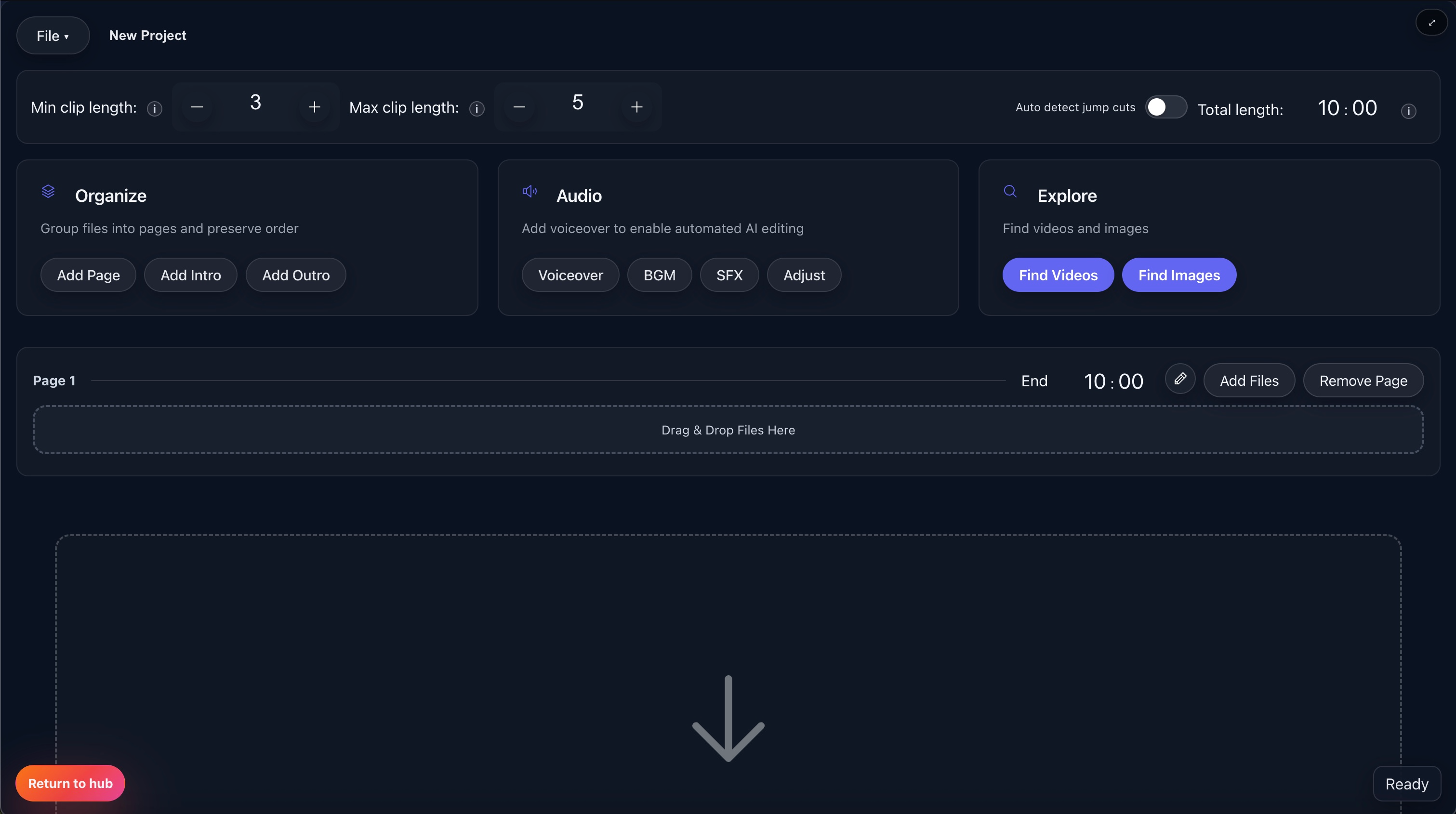
Smart Clip Logic is the editing foundation behind Fractal's faster workflows. It uses clip length rules, total-duration targets, shuffle behavior, and optional cut detection so source footage becomes a usable draft without hand-trimming every segment.
Best for creators who want faster first drafts from raw footage while still keeping enough pacing control to make repeatable edits.
Why This Is One Of Fractal's Core Features
Faster than manual trimming
Instead of cutting every clip by hand, you define the pacing rules once and let the editor apply them across the source pool.
Built for repeatable videos
The same clip logic can be reused across uploads, which matters for channel formats that depend on consistent pacing.
Still leaves room for control
It is not just randomization. Clip rules work alongside pages, review tools, and audio settings when you need a more guided result.
How Smart Clip Logic Works
Add source media
Import local clips, paste YouTube links, or build a sectioned project in Advanced Editor.
Set the rules
Choose minimum and maximum clip length, total target duration, and any cut-detection or audio behaviors you want applied.
Generate the sequence
Fractal shuffles and assembles clips according to those rules instead of forcing you to manually pick every trim point.
Refine if needed
Use pages, review-before-merge, or manual replacements when you want more narrative or quality control.
The Rules That Shape The Draft
Min and max clip length
Use clip-length sliders to control whether the edit feels punchy and quick or slower and more spacious.
Total duration
Tell Fractal how long the finished video should roughly be so the source pool is shaped toward a realistic export target.
Auto-detect cuts
Use cut detection when you want the editor to find better break points inside longer sources instead of treating them as one flat file.
Remove or keep source audio
Choose whether clips should export silently for B-roll-driven edits or preserve their original sound when the source audio matters.
Where This Logic Shows Up
Basic shuffle workflows
This is the engine behind faster draft assembly when you are working from a pool of source footage and need a first cut quickly.
Advanced Editor
Smart Clip Logic gets more powerful when paired with pages, ordered merge, per-section controls, and planned preview.
Review-before-merge
When the first pass is close but not perfect, review tools help you keep the speed advantage without exporting blindly.
Why It Matters Commercially
One of the main buying reasons
For many creators, this is the feature category that makes Fractal faster than generic manual editors.
Works well with Pro tools
The docs tie this logic closely to Advanced Editor controls, audio options, and structured editing workflows.
Scales across uploads
Once the pacing rules feel right for your format, the same logic becomes a reusable system instead of a one-off manual process.
What To Read Next
Pages & Ordered Merge
See how the same clip logic becomes more structured when you divide the video into pages like Hook, Body, and Outro.
Open pageReview Before Merge
Use review tools when you want to inspect the planned sequence before committing to export.
Open pageAdvanced Editor
Move into Advanced Editor if you want section-level controls, image sourcing, and more deliberate preview workflows.
Open pageMain docs
Read the Advanced Editor docs for the surrounding quick settings, clip rules, and section-based workflow this logic supports.
Open docsPricing
Check pricing if clip automation and repeatable editing are central to why you want Fractal.
See plansWant The Full Clip Logic Workflow?
Use the docs if you want the deeper Advanced Editor context, or go straight to pricing if faster repeatable editing is your main goal.