Channel Dashboard Analytics
Channel Dashboard Analytics gives you a range-based view of what is happening across your connected YouTube channels. Use it inside My Channels for account-level and per-video stats, then open the website members area to check the same synced analytics on the fly.
Best for creators managing multiple channels who want real analytics totals, per-video breakdowns, and a synced web dashboard without bouncing between tools.
Why Creators Use The Analytics Dashboard
Check all your channels faster
Start with aggregate totals across connected accounts, then drop into a single channel when you want a more focused performance read.
See more than public lifetime stats
Fractal layers in range-based YouTube Analytics plus calculated rates and net metrics, so you are not limited to static public profile numbers.
Keep the same view on the website
The members area mirrors your synced analytics so you can check stats, recent videos, and ranges on the fly without reopening the desktop app.
How The Analytics Flow Works
Connect YouTube
Use YouTube integration as the connection layer. Once the right Google account is linked, Fractal can sync channel analytics into the app.
Open My Channels
Select a personal channel to load account totals, recent videos, and range-based analytics, or start from the all-channel overview.
Switch ranges
Review the same metrics across 7d, 28d, 90d, and 365d windows so you can separate short-term spikes from longer trend lines.
Check per-video performance
Open recent uploads to see the same supported analytics at the video level, not just at the channel-summary layer.
Use the members area on the fly
Sign into the website with the same email you use in the desktop app to see synced overview cards, channel switching, and recent video analytics away from your main machine.
What Analytics Fractal Supports
The public copy below matches the metric definitions already used by the app and synced members dashboard.
Reach and discovery
Impressions, CTR, Views, and Engaged Views help you see how often your videos are shown and how often viewers move from impression to click and actual consumption.
Watch and retention
Watch Time, Average View Duration, and Average Percentage Viewed show whether the traffic you are earning actually sticks through the video.
Engagement and subscribers
Likes, Comments, Dislikes, Shares, Subs Gained, Subs Lost, Net Subs, Subscriber Conversion, Engagement Actions, Engagement Rate, Like Rate, Comment Rate, Share Rate, Dislike Rate, and Engaged View Rate give you a fuller quality read than views alone.
Playlist impact
Playlist Adds, Playlist Removes, Playlist Net Adds, and Playlist Add Rate help you spot videos that keep getting saved into longer viewer journeys.
How The Dashboard Organizes The Data
Four built-in ranges
Use 7d, 28d, 90d, and 365d views across both the desktop app and members area so your comparisons stay consistent.
Three visibility levels
Fractal supports account-level totals, aggregate all-channel totals, and per-video analytics for recent uploads, so you can zoom from portfolio view to single-video detail.
Public stats plus analytics stats
Lifetime channel stats still remain useful, but the analytics dashboard layers in range-based performance and calculated rates that are more actionable for ongoing channel decisions.
How The Website Dashboard Mirrors The App
Use the same email
The members area is tied to the same email used by the desktop app and billing, which is how Fractal knows which synced analytics belong to you.
Overview and channel switching
The website dashboard starts with all-account overview cards, then lets you swipe or tap into individual channels for focused analytics.
Recent videos and per-video stats
The Recent Videos view keeps public lifetime metrics visible while layering in range-based analytics for each synced video.
On-the-fly range switching
Switch ranges directly on the website when you need a quick read during the day instead of waiting to get back into the desktop app.
Why Impressions And CTR Can Lag
YouTube integration is the setup layer
Connection and auth still happen through YouTube integration. If you are not connected, the analytics dashboard cannot load the private YouTube Analytics data behind these views.
Reach files can take longer
Impressions and CTR rely on YouTube Reporting API reach files. Those files can provision later than the rest of your analytics, so reach numbers may appear after other metrics are already available.
Sync depends on the desktop app
The website members area is a synced companion view, not a separate analytics collector. Open the desktop app with the right connected account so Fractal can push fresh analytics up for the website.
Some ranges can be temporarily unavailable
If YouTube returns an unsupported query, a temporary auth issue, or a still-provisioning reach report, Fractal will surface that status instead of silently faking a number.
What To Read Next
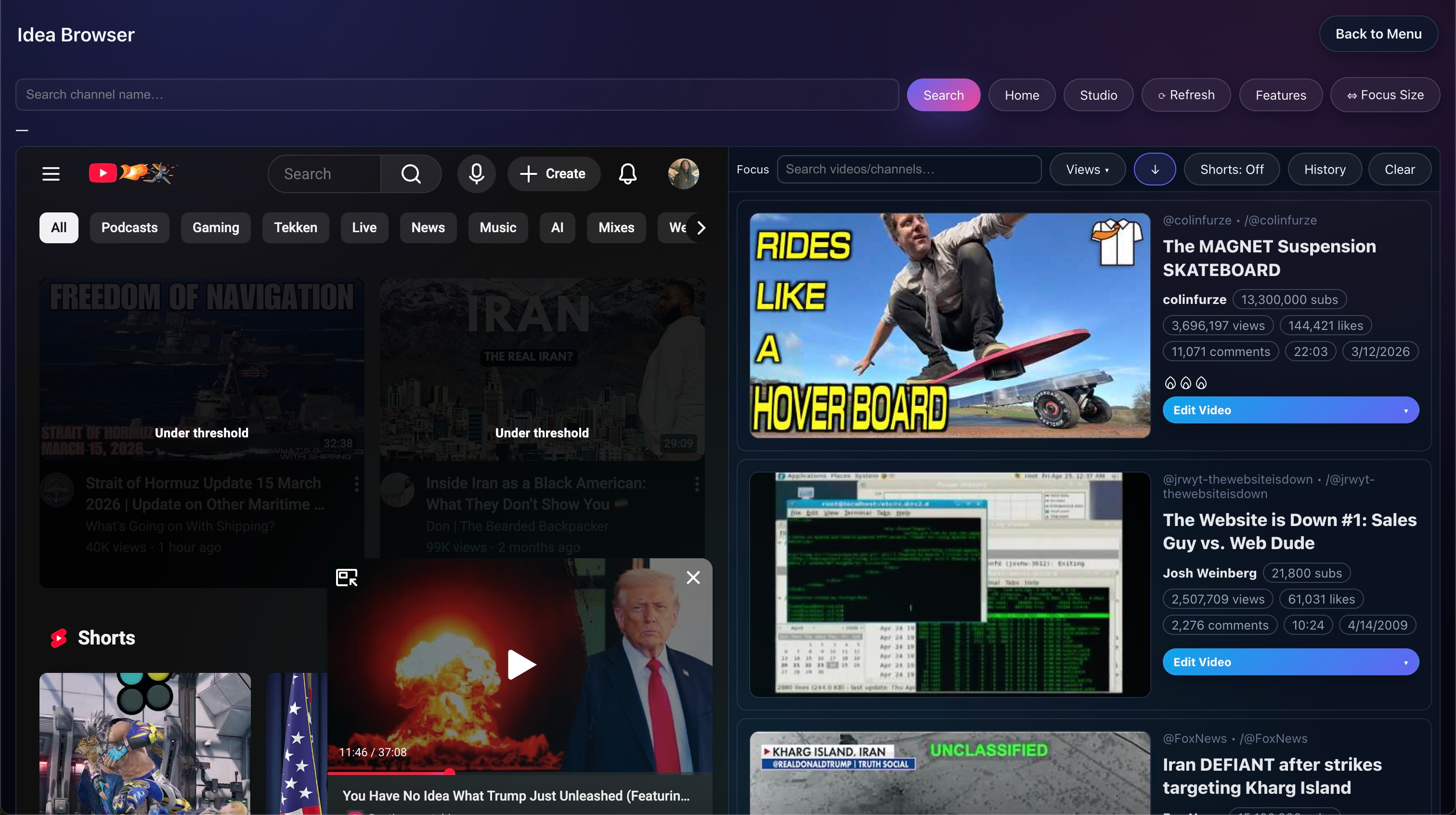
Idea Browser & My Channels
See the broader channel and research workflow where these analytics live inside the app.
Open pageNiche Finder
Use research and channel pattern discovery alongside analytics when you are deciding what to make next.
Open pageMain docs
Read the full documentation for setup, supported metrics, members-area sync, and troubleshooting.
Open docsPricing
Use pricing if synced multi-channel analytics is one of the main reasons you want the Platinum stack.
See plansWant The Full Analytics Breakdown?
Read the docs for the full setup and troubleshooting guide, or go to pricing if this dashboard is already clearly part of your workflow.